
Lifestyle
How to Style an Unused Corner into a Workspace Using the LiFi Lamp
Oct 26, 2026 · 6 min read
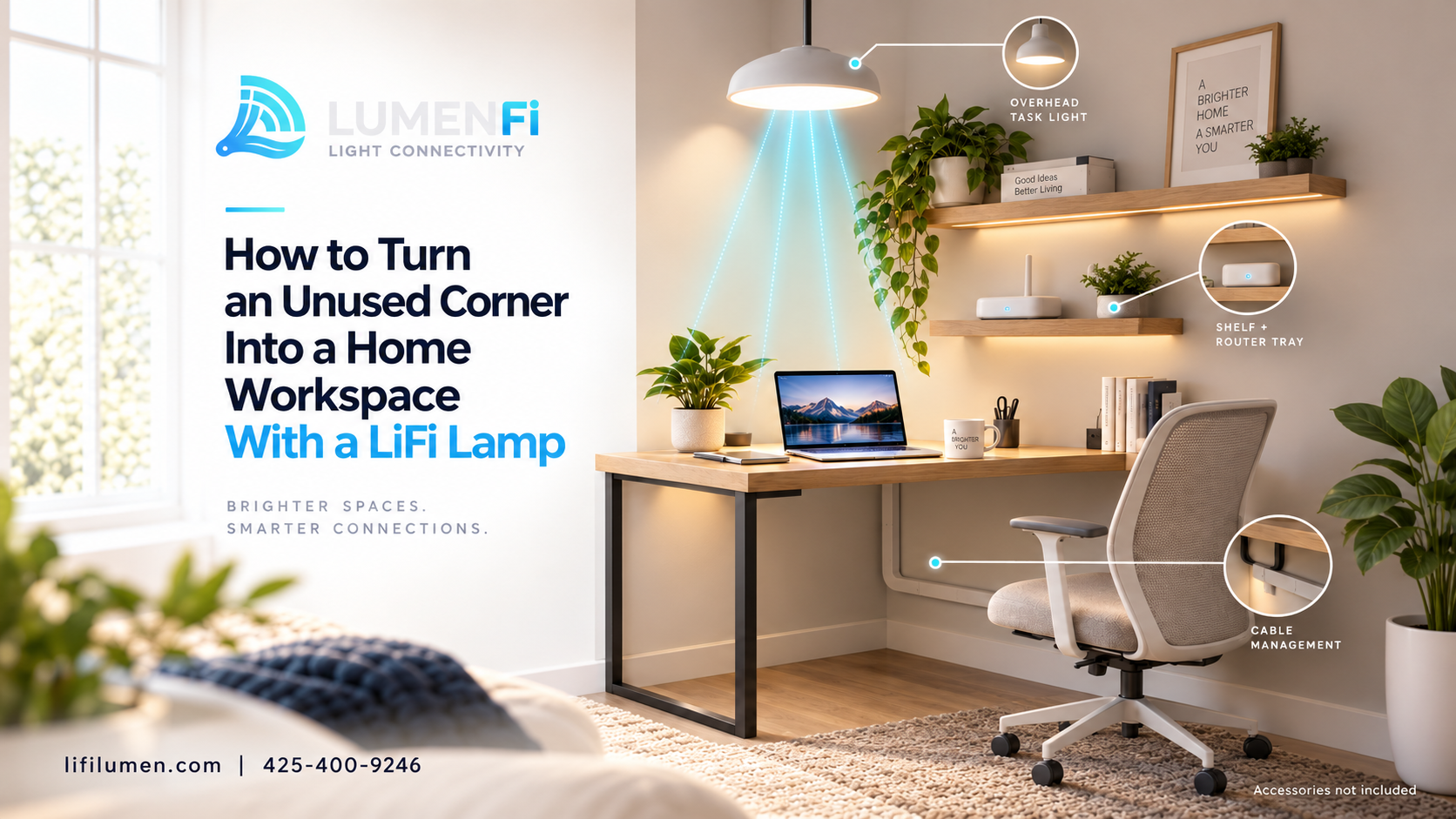
Almost every home has one: the corner that collects a chair, a box, or nothing at all. It is usually too small for a proper desk and too awkward for furniture, so it sits idle.
A LiFi Lamp can change that. It lights the room and carries your connection, which means one piece in the corner can anchor a small, tidy workspace. This guide from Lumen LiFi walks through the corner-to-desk idea in four styling steps, plus tips on cables, lighting, and what to add yourself. If you are new to the technology, start with What Is LiFi?.
The corner-to-desk idea
The LiFi Lamp is an indoor décor lamp with built-in LiFi. It does two jobs at once: it gives you stylish light, and it provides a light-based connection alongside your WiFi. That makes a corner a smart place for it. You get lighting, connectivity, and a visual anchor in a single footprint, without spreading equipment across the room.
Think of the lamp as the spine of the workspace. Everything else you add hangs off that idea: a spot for your laptop, a place for your router, somewhere to hang your headphones, and a light to work by.
Step 1: Add a standing-desk shelf for your laptop
Start with the work surface. A small standing-desk shelf attached near the lamp gives your laptop a home at a comfortable height. This works especially well for short work sessions, quick calls, and anyone who likes to stand while they work.
Keep the shelf placement in mind for connectivity too. LiFi works best with a reasonably clear path between the light and the receiver, so position your laptop and its receiver where they can see the lamp without anything blocking the way.
Step 2: Keep the router on a lower tray, off the floor
Next, give your router a proper spot. A lower tray near the base of the corner keeps the router off the floor and out of the way, and keeps the setup looking deliberate rather than improvised.
LiFi works alongside WiFi, so your router stays part of the picture. It continues to cover the rest of your home, while the lamp gives your workspace its own light-based lane.
Step 3: Hang a hook for headphones
A small hook beside your workspace keeps your headphones within reach and off the desk. It is a tiny change, but it removes clutter and makes the corner feel finished. The same idea works for a bag, a lanyard, or a jacket, depending on how you use the space.
Step 4: Use the overhead light as a task lamp
The top beam of the LiFi Lamp can double as your task light. Instead of adding a separate desk lamp, you use the lamp that is already there to light your keyboard, notes, and screen. That keeps the corner uncluttered and gives you a single, consistent light source for work.
If you are searching for a LiFi desk lamp, this is the idea in practice: a lamp that lights your workspace and carries your connection together.
Build your corner workspace with the LiFi Lamp
The LiFi Lamp from Lumen LiFi is an indoor décor lamp with built-in LiFi, available in four finishes: White, Black, Silver, and Gold. It is available for preorder now.
Pre Order the LiFi Lamp →Keep cables off the floor
A workspace looks calmer and works better when cables are under control. A few simple habits help:
- Route cables along the wall or the lamp's base rather than across the floor.
- Use clips or ties to bundle power and device cables together.
- Keep the router on its tray so its cables rise up instead of sprawling out.
- Leave a little slack so you can move or adjust things without tugging on a plug.
Fewer loose cables means less tripping, less dust, and a corner that looks like a designed space, not a tangle.
Accessories are not included
An important note: the LiFi Lamp does not ship with hooks or shelves. The styling ideas above are inspiration. You choose and add the shelf, the tray, and the hook that suit your home, and you clip them on where they make sense.
This keeps the Lamp doing what it does best: being décor and LiFi. The extras make it useful for your particular room. When you add accessories, choose ones that are rated for what you plan to put on them, and attach them according to their own instructions.
Choosing a finish for your workspace
The LiFi Lamp comes in four finishes, so you can match the corner to the room:
- White: bright and airy, a natural fit for a clean, minimal workspace.
- Black: sharp and modern, well suited to a gaming or media setup.
- Silver: neutral and professional, a good match for a home office.
- Gold: warm and stylish, a nice fit for a bedroom or vanity-adjacent space.
A quick setup checklist
- Pick a corner with a power outlet nearby.
- Place the LiFi Lamp and confirm it has a clear view toward your desk area.
- Add a shelf, tray, and hook (not included with the Lamp).
- Position your laptop and receiver so the light can reach them.
- Tidy the cables, then switch on the task light and get to work.
Conclusion
An unused corner does not need much to become a real workspace. A LiFi Lamp gives you light and a light-based connection in one piece, and a few simple additions turn it into a tidy desk setup: a shelf for your laptop, a tray for your router, a hook for your headphones, and the overhead beam as your task light.
If you want to try it, the LiFi Lamp is available for preorder, and you can also ask to be notified if you would like updates first.
Frequently Asked Questions
1. What is a LiFi desk lamp?
It is a lamp that lights your workspace while also carrying a light-based internet connection. The LiFi Lamp from Lumen LiFi is an indoor décor lamp with built-in LiFi that works alongside your WiFi.
2. Does the LiFi Lamp come with a shelf or hooks?
No. The Lamp does not ship with hooks or shelves. The workspace ideas in this guide are inspiration, and you add the accessories that suit your home.
3. Can I use the LiFi Lamp as my main task light?
Yes, the overhead beam is suggested as a task light, so you can light your desk without adding a separate lamp.
4. Do I still need WiFi if I use a LiFi Lamp?
Yes. LiFi is designed to work alongside WiFi. WiFi covers the rest of your home, and the Lamp gives your workspace its own light-based lane.
5. What finishes does the LiFi Lamp come in?
It comes in four finishes: White, Black, Silver, and Gold.
Ready to turn your corner into a workspace? Pre order the LiFi Lamp, explore Lumen LiFi, or contact our team with questions.